


Mobile-Friendly Checkout: Enhancing User Experience for Increased Sales
In a world increasingly dominated by mobile devices, a mobile-friendly checkout process can significantly enhance user experience and drive higher conversion rates. As shoppers increasingly turn to their smartphones for purchases, online retailers must adapt to meet these consumer expectations. A seamless mobile checkout not only simplifies the purchase journey but also fosters customer loyalty.

Designing an efficient checkout experience involves several key components. Speed, ease of navigation, and accessibility play crucial roles in ensuring that customers can complete their transactions without frustration. Integrating reliable payment gateways and optimizing each step of the process can notably reduce cart abandonment rates and improve sales.
By prioritizing a mobile-friendly checkout, businesses can create positive post-purchase experiences that encourage repeat visits. Customizing checkout processes to the needs of mobile users is essential for staying competitive in today’s market.
Key Takeaways
- Mobile-friendly checkouts enhance user satisfaction and boost conversions.
- Optimizing speed and navigation reduces cart abandonment rates.
- Integrating payment gateways is critical for a smooth transaction experience.
The Importance of Mobile-Friendly Checkout

In today’s digital landscape, a mobile-friendly checkout is essential for businesses. With increasing numbers of consumers shopping on mobile devices, having a seamless checkout experience can significantly impact sales.
Benefits of Mobile-Friendly Checkout:
- Increased Conversion Rates: Mobile-friendly checkout reduces friction in the purchasing process, encouraging users to complete their transactions.
- Enhanced User Experience: A simplified, mobile-optimized interface leads to higher satisfaction among customers, promoting repeat business.
- Accessibility: A significant portion of online shopping occurs on mobile. If a website isn’t optimized, potential customers may abandon their carts.
Key Features to Consider:
- Responsive Design: Ensure the checkout process adjusts to various screen sizes.
- Fast Loading Times: Mobile users expect speed; delays can lead to cart abandonment.
- Easy Navigation: Simplifying the number of steps to complete a purchase enhances usability.
A mobile-friendly checkout process can also aid in building customer trust. Users are more likely to engage with brands that offer streamlined and secure mobile experiences.
Investing in mobile-friendly solutions not only meets consumer expectations but also positions a business competitively in the market. As mobile shopping continues to rise, prioritizing mobile-friendly checkout is a strategic move for any online retailer.
Designing for Mobile Checkout Efficiency
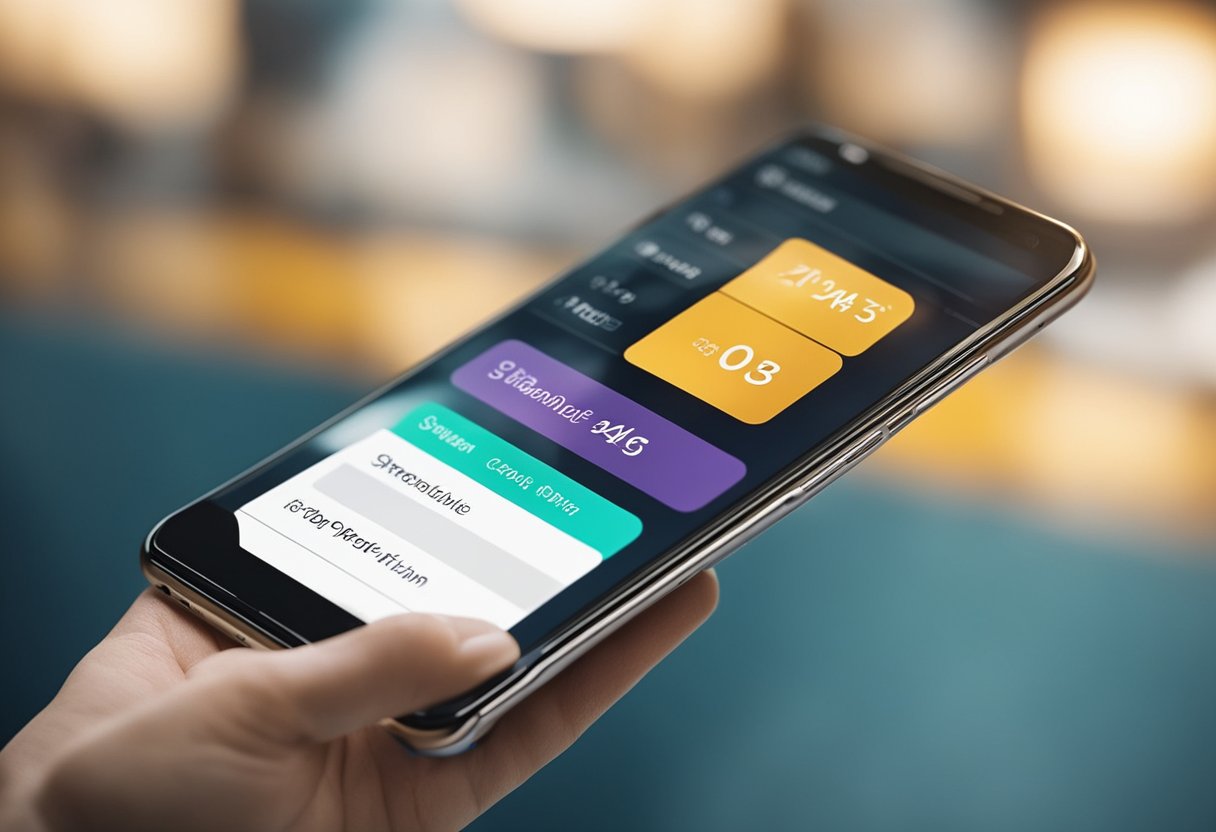
Effective mobile checkout design enhances user experience and increases conversion rates. Emphasizing responsive design, tailored mobile interface elements, and streamlined form inputs ensures that customers can effortlessly complete their transactions on smaller screens.
Responsive Design Best Practices
Responsive design is crucial for mobile checkout. It ensures that the layout adapts seamlessly to various screen sizes and orientations. This involves using flexible grids and images that resize appropriately.
Key considerations include:
- Viewport meta tag: Ensures proper scaling on mobile devices.
- Breakpoints: Determine where design elements shift based on screen size.
- Test across devices: Regular testing on popular devices aids in identifying and fixing usability issues.
By implementing these practices, businesses can create a more accessible and user-friendly checkout experience.
Mobile Interface Elements
Mobile interface elements must prioritize clarity and ease of interaction. Touch targets should be large enough to prevent user frustration.
Important elements to focus on:
- Buttons: Use prominent, easy-to-read buttons with clear calls-to-action (CTAs).
- Navigation: Simplify navigation with clearly labeled icons and minimal steps.
- Progress indicators: Help users understand their checkout status, reducing abandonment rates.
Incorporating these elements will facilitate smoother interactions, ultimately driving more sales.
Streamlined Form Inputs
Streamlined form inputs enhance the speed at which users can complete the checkout process. Reducing the number of required fields minimizes friction.
Best practices include:
- Auto-fill capabilities: Utilize browser features to auto-fill information when possible.
- Field types: Use appropriate input types, such as
telfor phone numbers, to improve usability. - Conditional logic: Show/hide fields based on user selections to keep the form clean.
By simplifying form inputs, businesses can significantly improve the likelihood of successful transactions.
Speed Optimization Techniques
Improving mobile checkout speed is crucial for enhancing user experience and increasing conversion rates. Several effective strategies can help achieve optimal performance, focusing on load times and resource delivery.
Minimizing Page Load Time
Page load time is essential for retaining users during checkout. To minimize this time, one key technique is to reduce the size of images and other media. Using formats like WebP or adjusting image resolutions can significantly decrease load times.
Another effective approach is to minimize HTTP requests by combining CSS and JavaScript files. This reduction leads to fewer server requests, speeding up page rendering.
Additionally, leveraging browser caching enables the storage of frequently accessed resources, allowing users to load pages faster on return visits. Implementing lazy loading for images further enhances speed by loading only visible content initially.
Implementing Accelerated Mobile Pages (AMP)
Accelerated Mobile Pages (AMP) is a technology that streamlines web content for mobile devices. It reduces the amount of JavaScript and enforces strict guidelines on how HTML can be structured.
By using AMP, pages load significantly faster on mobile devices. This is accomplished through a simplified framework, optimized images, and asynchronous loading of resources.
Implementing AMP can positively impact SEO as well, since search engines prioritize fast-loading pages. For e-commerce sites, faster mobile experiences often lead to higher user engagement and improved conversion rates.
Using Content Delivery Networks (CDNs)
CDNs distribute website content across various geographical locations, providing users with quicker access to resources. Utilizing a CDN can minimize latency by serving content from the nearest server.
CDNs also enhance reliability by offering load balancing, reducing the load on primary servers. Additionally, they often include built-in caching mechanisms, further decreasing load times.
When using a CDN, it’s essential to choose a provider that specializes in e-commerce. This selection ensures compatibility with mobile-friendly technologies and security features, fostering a smoother checkout experience.
Payment Gateway Integration
Integrating a mobile-friendly payment gateway is essential for enhancing the customer checkout experience. This process involves selecting the right gateway, offering convenient payment options, and ensuring robust security measures.
Selecting a Mobile-Friendly Payment Gateway
When choosing a payment gateway, businesses should prioritize mobile optimization. A mobile-friendly payment gateway will adapt seamlessly to various screen sizes, ensuring a smooth user experience.
Key factors to consider include:
- Transaction fees: Review fee structures as they vary by provider.
- Supported payment methods: Ensure compatibility with credit cards, e-wallets, and other popular options.
- User interface: A simple and intuitive interface reduces friction during checkout.
Well-known mobile-friendly gateways include PayPal, Stripe, and Square, each offering unique features suited for different business needs.
One-touch Payment Options
One-touch payment options can significantly streamline the checkout process. These solutions allow customers to make purchases with a single tap or click, minimizing time spent on data entry.
Providers such as Apple Pay and Google Pay enable this functionality. Key benefits include:
- Faster transactions: Reduces cart abandonment rates by making the process quicker.
- Convenience: Customers appreciate the ease of using stored payment information.
Implementing one-touch options can enhance the overall shopping experience, encouraging repeat purchases and customer loyalty.
Payment Security
Ensuring robust payment security is crucial in building trust with customers. They seek assurance that their financial information is protected during transactions.
Businesses should focus on:
- Encryption: Utilizing secure encryption protocols to protect data transfer.
- PCI DSS compliance: Adhering to the Payment Card Industry Data Security Standards.
- Fraud detection tools: Implementing systems to identify and prevent unauthorized transactions.
By prioritizing these security measures, businesses can create a safe environment for mobile transactions, fostering customer confidence.
User Experience Enhancements
Enhancing user experience in mobile-friendly checkout involves crucial elements such as visual feedback, effective error handling, and proper confirmation processes. Each of these components plays a role in keeping users informed and engaged during their purchasing journey.
Visual Feedback and Progress Indicators
Visual feedback provides immediate responses to user actions, which is vital during the checkout process. For instance, highlighting selected options or changes helps users confirm their decisions.
Progress indicators are essential in guiding users through multiple steps, especially in a multi-page checkout. They should be clearly displayed at the top of the screen and visually represent the user’s current stage, such as “Step 2 of 4.”
Utilizing animations for adding items to the cart can also enhance the experience. These subtle effects can improve engagement by making actions more tangible. Clear and consistent visuals contribute to a seamless transition across different screens.
Error Handling and Assistance
Error handling should be user-centric, offering clear, constructive messages when a mistake occurs. If a user inputs incorrect information, the system should highlight the error field and provide a specific reason for the failure.
Incorporating inline help can simplify corrections. For example, showing examples or tooltips next to fields can guide users on how to fill them out properly.
Additionally, a user-friendly FAQ section can assist with common issues encountered during checkout. By making support easily accessible, users feel more confident navigating the process while minimizing frustration.
Confirmation and Follow-up
Providing confirmation after a successful transaction is critical. An immediate on-screen message, followed by a confirmation email, reassures users that their order has been successfully placed.
The confirmation message should include key order details such as item summary, payment method, and estimated delivery date. This transparency fosters trust and helps users track their purchases.
Sending follow-up communications can further enhance user experience. Transaction summaries or shipping updates keep users informed and engaged with their order status. It is essential for businesses to maintain communication to ensure customer satisfaction throughout the purchasing process.
Testing and Optimization
Effective testing and optimization are critical for enhancing mobile-friendly checkout experiences. They ensure a streamlined process that can lead to higher conversion rates and improved user satisfaction. Key strategies include A/B testing, gathering user feedback, and maintaining performance monitoring.
A/B Testing for Checkout Flows
A/B testing allows businesses to compare two versions of a checkout flow to determine which one performs better. By changing elements such as button colors, text phrasing, or layout, companies can effectively measure user interaction and conversion rates.
Key Components of A/B Testing:
- Control Group: The original checkout flow.
- Test Group: The modified version with changes implemented.
- Metrics to Track: Conversion rate, average time spent on the checkout page, and cart abandonment rate.
Running tests over a sufficient time period helps ensure that the results are statistically significant, leading to informed decisions based on data rather than assumptions.
User Feedback Collection
Collecting user feedback is essential to understand pain points in the checkout process. Surveys, direct interviews, and usability testing can provide valuable insights into the user experience.
Methods for Collecting Feedback:
- Post-Purchase Surveys: Ask customers about their experience immediately after checkout.
- Usability Testing Sessions: Observe users navigating the checkout to identify areas of confusion.
- Feedback Forms: Integrate forms within the checkout process for real-time input.
Analyzing this feedback helps identify specific issues that may lead to dropped transactions, allowing businesses to make targeted improvements.
Continuous Performance Monitoring
Continuous performance monitoring is vital for maintaining an optimal checkout experience. This involves regularly assessing the checkout system’s speed, reliability, and overall functionality.
Key Elements to Monitor:
- Load Time: Measure how quickly the checkout page loads on various devices.
- Error Rates: Track how often users encounter errors during the checkout process.
- User Behavior Analytics: Tools such as heatmaps can indicate where users click most often and where they drop off.
By consistently monitoring these metrics, businesses can proactively address issues before they significantly impact user experience or conversion rates.
Compliance and Accessibility
Ensuring compliance and accessibility in mobile-friendly checkout processes is essential for businesses. It not only adheres to legal requirements but also improves the user experience for all customers, including those with disabilities.
Adhering to Legal Requirements
Many jurisdictions have specific legal mandates regarding online commerce. Regulations such as the Americans with Disabilities Act (ADA) in the U.S. require that websites be accessible to individuals with disabilities. Businesses must ensure that their mobile checkout processes comply with these legal standards.
Failure to comply can result in litigation and reputational damage. Specific requirements may involve providing text alternatives for images, ensuring keyboard navigability, and implementing proper color contrast. Conducting regular audits can help identify potential non-compliance issues.
Ensuring Accessibility Standards
Accessibility standards, such as the Web Content Accessibility Guidelines (WCAG), provide a framework for creating inclusive digital experiences. These guidelines suggest practices to accommodate users with various disabilities, including visual and auditory impairments.
For mobile checkouts, supporting screen readers is crucial. Businesses should implement features like labeled fields and accessible error messages. Testing with diverse user groups can uncover usability barriers.
Incorporating accessibility into design fosters an inclusive environment. It enhances customer satisfaction and potentially increases conversion rates, demonstrating goodwill and social responsibility. Prioritizing these elements is beneficial for both compliance and customer engagement.
Post-Purchase Experience
The post-purchase experience is crucial for retaining customers and encouraging repeat business. It encompasses order confirmation and accessible customer support, both of which significantly impact customer satisfaction.
Order Confirmation Process
Following a purchase, an efficient order confirmation process is vital. Customers expect immediate communication regarding their transaction. This typically includes an email or SMS that confirms the order details, such as items purchased, shipping information, and estimated delivery dates.
An effective confirmation message should incorporate the following elements:
- Order Number: Helps customers track their order.
- Summary of Items: Clearly lists products purchased.
- Shipping Address: Confirms accuracy to avoid issues.
- Contact Information: Provides details for customer service inquiries.
A well-structured confirmation reduces anxiety and reassures customers that their order is being processed.
Customer Support Accessibility
Accessible customer support enhances the post-purchase experience. Customers should have multiple channels to reach support, including chatbots, email, and phone support. Prompt, knowledgeable assistance can resolve issues swiftly, improving overall satisfaction.
Key features of effective customer support include:
- Live Chat Availability: Instant answers to queries.
- Comprehensive FAQs: Addresses common concerns.
- Response Time: Fast replies foster trust.
Additionally, offering support in multiple languages can accommodate a diverse customer base, reinforcing a commitment to service excellence. This level of accessibility encourages customers to return for future purchases.
Mobile Checkout Analytics
Mobile checkout analytics provide insights into customer behavior during the purchasing process on mobile devices. Utilizing this data can enhance the user experience and drive higher conversion rates while effectively addressing abandonment issues.
Utilizing Data for Conversion Improvement
Analyzing customer interactions during the mobile checkout process helps identify bottlenecks and optimize their journeys. Key metrics include:
- Time on Checkout Pages: Monitoring how long customers spend on various pages reveals where they may encounter difficulties.
- Click-through Rates: Understanding where users click can highlight effective elements and those needing enhancement.
Implementing A/B testing for different checkout layouts or options further refines the experience. For example, simplifying forms or offering guest checkout can boost completion rates. By continually analyzing these metrics, businesses can adapt to customer preferences, ultimately leading to improved conversions.
Measuring Checkout Abandonment Rates
Understanding checkout abandonment rates is crucial for identifying why customers leave without completing their purchases. Key factors influencing abandonment often include:
- Unexpected Costs: Additional fees appearing late in the checkout process can deter customers.
- Complex Navigation: Complicated steps or unclear instructions may frustrate users.
To calculate abandonment rates, divide the number of completed purchases by the number of initiated checkouts. Regular monitoring of these rates, along with user feedback, highlights areas needing attention. Addressing issues identified through analysis can significantly reduce abandonment rates and increase mobile sales. Businesses should prioritize tracking these metrics to inform their strategies effectively.
Frequently Asked Questions
Mobile-friendly checkout involves specific features and design elements that enhance user experience and increase conversion rates. The following questions address these aspects clearly and concisely.
What are the key features of a mobile-friendly checkout template?
A mobile-friendly checkout template should include responsive design, autofill options, progress indicators, and simplified forms. These elements cater to the unique user behaviors on mobile devices, ensuring ease of navigation and quicker completion times.
How can one design a checkout page to enhance user experience on mobile devices?
Designing a mobile checkout page involves prioritizing essential information and using larger buttons. Clear calls-to-action and easy access to support or assistance can significantly improve the user experience.
Can you provide examples of exceptional mobile checkout user interfaces?
Examples include Amazon’s streamlined one-click purchase option and Shopify’s intuitive interface that minimizes data entry. These designs prioritize user convenience and quick access to payment options.
What are the best practices for designing a mobile checkout experience?
Best practices include minimizing the number of fields, providing clear error messages, and allowing guest checkout. Using persistent cart options and enabling various payment methods also enhances the experience.
How does a well-designed mobile checkout page impact conversion rates?
A well-designed mobile checkout page can significantly boost conversion rates by reducing cart abandonment. Users are more likely to complete their purchases when the process is quick and simple.
What strategies can be implemented for a smooth guest checkout process on mobile platforms?
Strategies for a smooth guest checkout include offering social login options, minimizing required fields, and saving user preferences for future visits. These techniques help users feel secure and encouraged to complete their transactions.

Guy has been building websites and helping companies online for over 15 years. He has worked in the jewelry industry for close to 30 years now. As the CEO of Jewelry Store Marketers, Guy leads the company to provide excellent services in website design and development, search engine optimization and more.


